


Employee attendance app with GPS and selfie clock-in
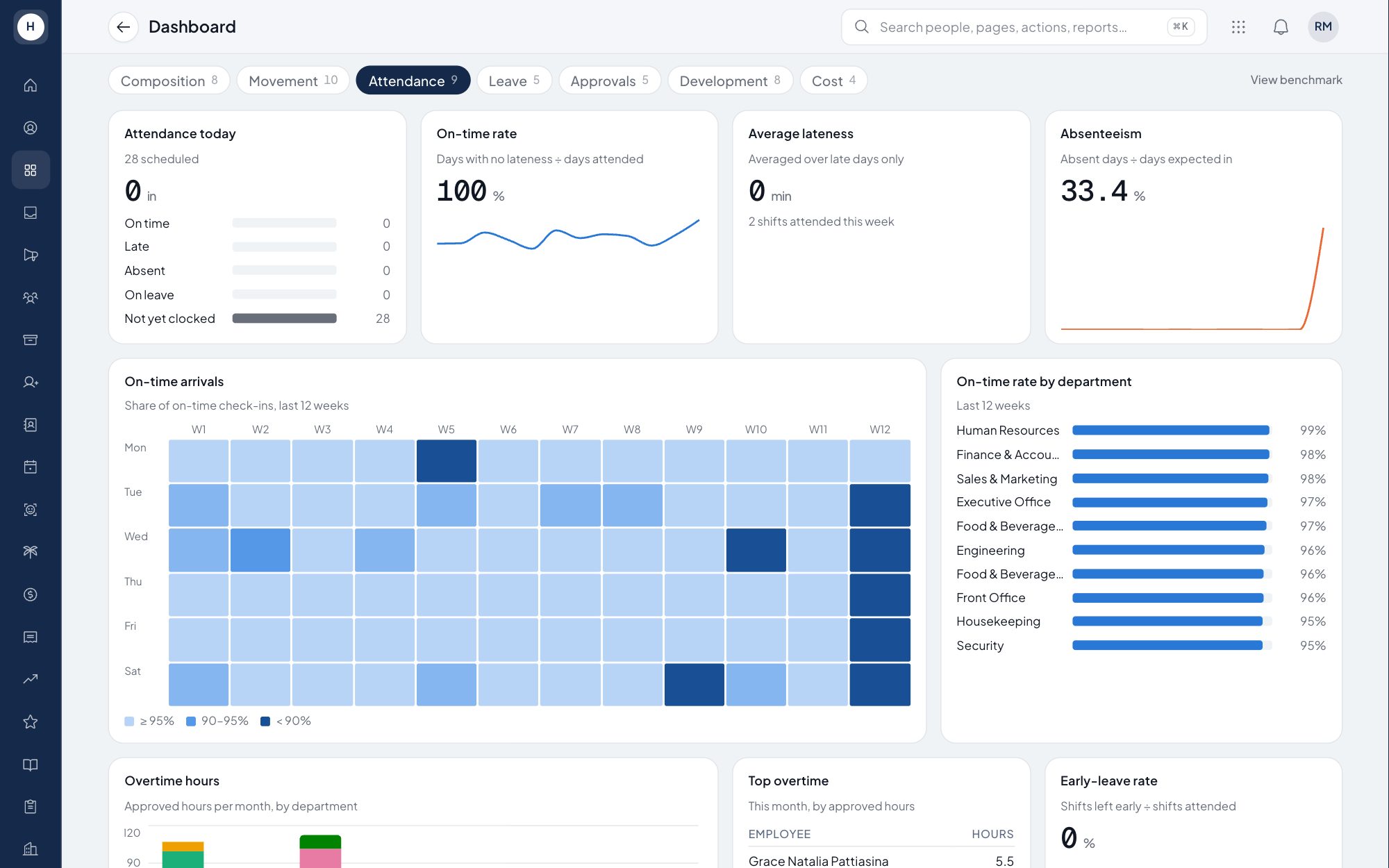
Employees clock in and out from the mobile app with their GPS location and a selfie, inside the radius of their work location. HR sees late arrivals, early leaves and incomplete days per employee without copying data from a machine into a spreadsheet.
What you can do
GPS and selfie clock-in
A clock-in is accepted inside the work location radius that HR sets, or outside it with an approved permit. Every record keeps the GPS point and a selfie.
Corrections through approval
An employee who forgot to clock in requests a correction from the app. It applies once approved, and every change is written to the audit log.
Fingerprint import
Properties that still use fingerprint machines can import that data, so all attendance sits in one place.
Recap per employee
The monthly recap shows days present, late arrivals, early leaves and incomplete days for each employee, ready for payroll.
How it works
- 1
Set locations and shifts
HR sets each work location with its radius, and the shift schedule for each employee.
- 2
Employees clock in from their phones
At the start and end of a shift, the employee opens the app and takes a selfie, and the system records the GPS location.
- 3
The system checks and summarises
Attendance is compared with the shift. Missing clock-outs are checked automatically, and the recap per employee is ready for payroll.
Frequently asked questions
What is an employee attendance app?
An employee attendance app records when staff start and finish work. In Stavis, employees clock in from their phones with GPS and a selfie, and the record is compared with their shift to work out lateness and early leave.
How do employees clock in from their phones?
The employee opens the Stavis mobile app, taps clock in and takes a selfie. The system records the GPS location and accepts the clock-in when the employee is inside the work location radius.
What happens when an employee forgets to clock out?
The system checks for missing clock-outs automatically and flags them. The employee then requests a correction, which applies once it is approved.
Are attendance selfies kept forever?
No. Selfies are deleted automatically after a set retention period, while the attendance times and locations stay on record.
See Stavis with your own company
Bring one department, one shift pattern and one month of payroll. We will walk through it with you.
