


Employee self-service app for iOS and Android
Hotel, restaurant and factory staff rarely sit at a computer. With the Stavis app on their phone, employees clock in, check their schedule, request leave and open their own payslips. Managers approve their team's requests in the same app.
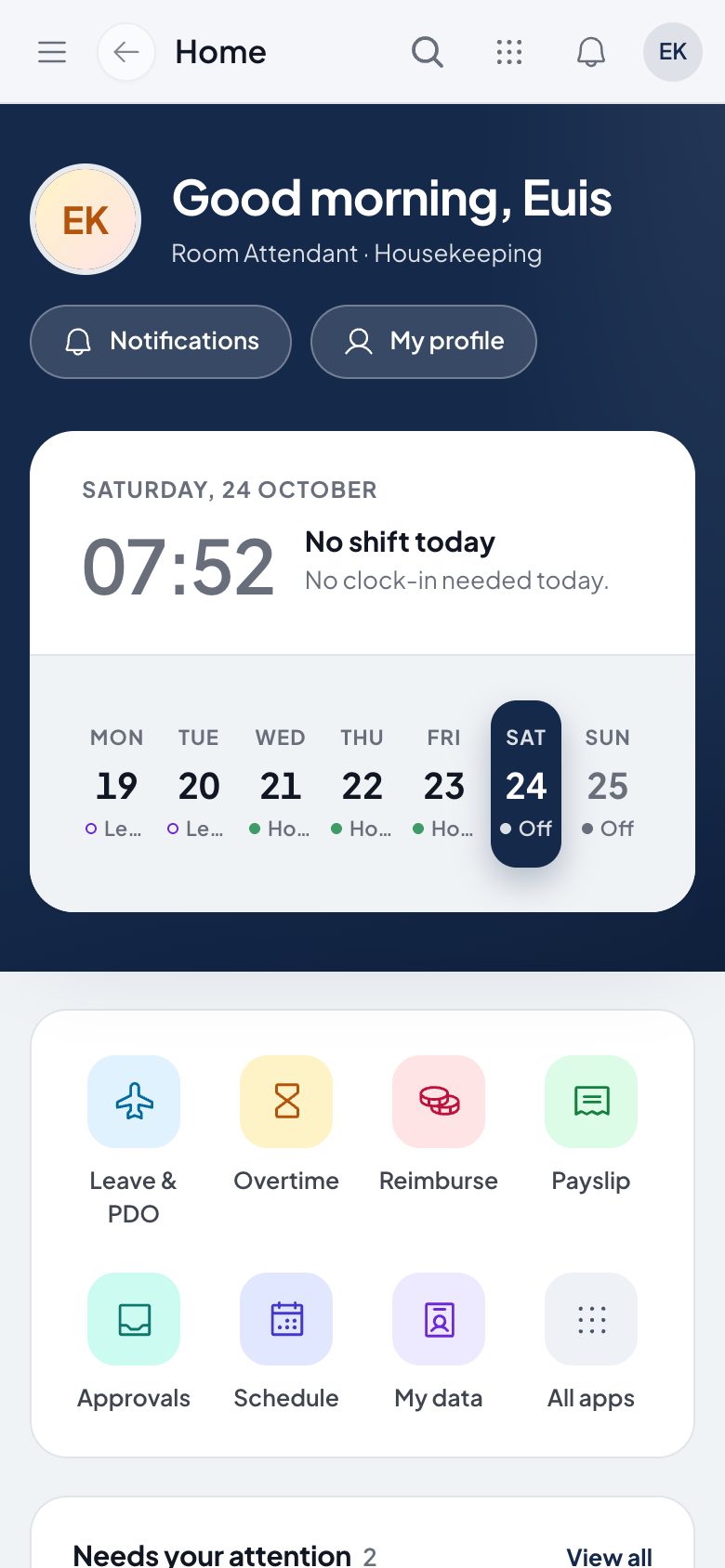
What you can do
Home and clock-in
Home shows today's shift. Employees clock in and out with GPS location and a selfie.
Schedule and requests
See the shift schedule, request leave, overtime, reimbursement and other requests, and follow each one until it is decided.
Payslips and profile
Employees open their own payslips and profile without asking HR.
Approvals and notifications
Managers approve, reject or return their team's requests from the phone. Notifications flag what is waiting, and Luna answers HR questions.
How it works
- 1
Install the app
Employees install the Stavis app on iOS or Android and sign in with the account HR created.
- 2
Use it every day
Clock in from home, check the schedule, and request leave, overtime or reimbursement at any time.
- 3
Managers decide
Requests land in the manager's approval inbox in the app, and the employee sees the result right away.
Frequently asked questions
Is the employee self-service app available on iOS and Android?
Yes. The Stavis app runs on iOS and Android from one codebase, with the same features on both.
What can employees do in the mobile app?
Home with today's shift, GPS and selfie attendance, schedule, leave, overtime, reimbursement, requests, approvals, payslips, profile, notifications and Luna.
Can managers approve leave from their phone?
Yes. Managers see pending requests and can approve, reject or return them for revision directly in the app.
Is the mobile app connected to attendance and payroll on the web?
Yes. The app uses the same system and data as the web app, so clock-ins and requests from the phone reach HR right away.
See Stavis with your own company
Bring one department, one shift pattern and one month of payroll. We will walk through it with you.
