


Interactive demo
Try Stavis at your own pace
Short, click-through tours of the real product with our demo hotel's data. No sign-up, about two minutes each.
Step 1 of 4
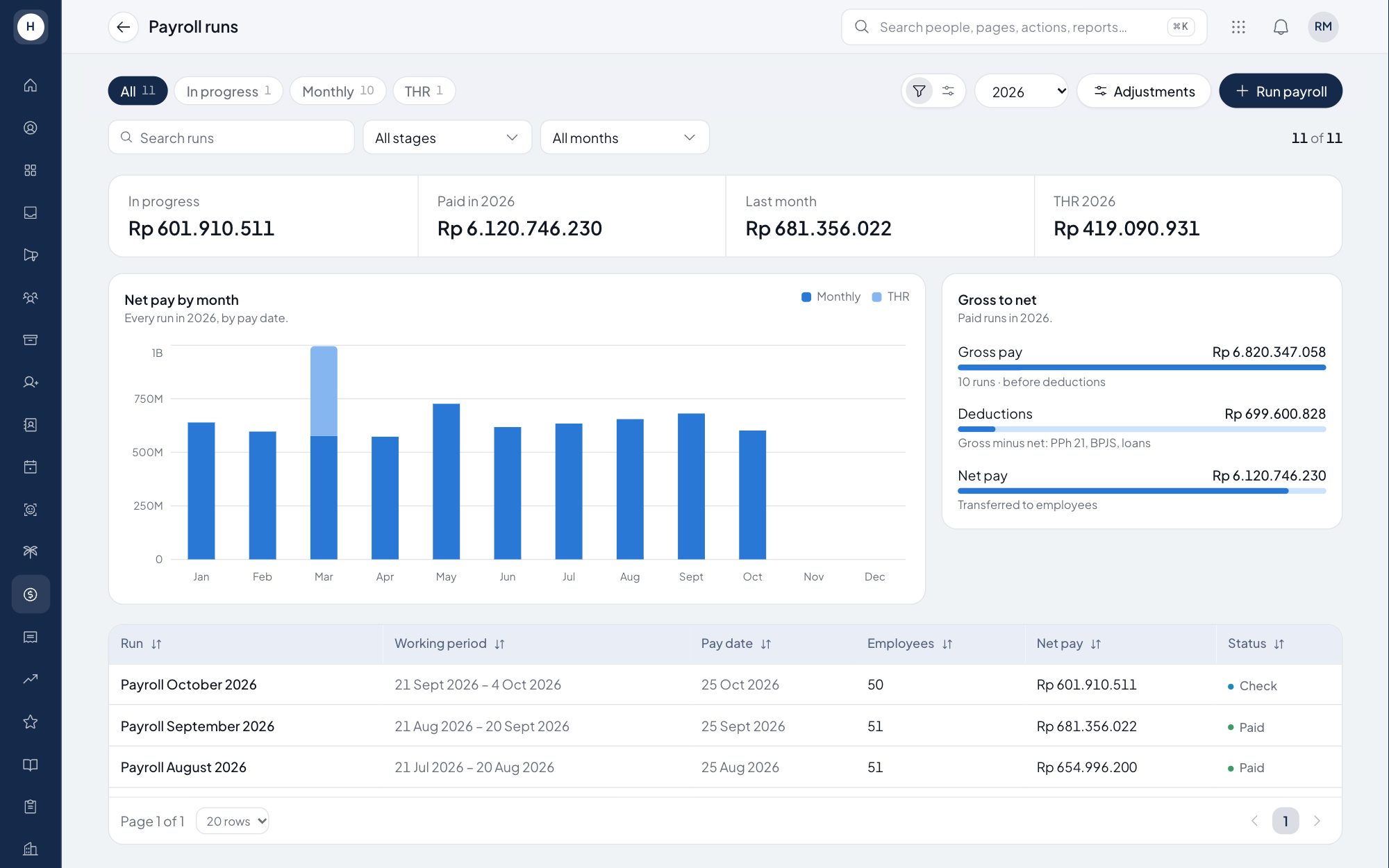
Every pay period in one place
Monthly, THR and daily-worker runs side by side, with net pay by month. Open October's run to check it.
Step 2 of 4
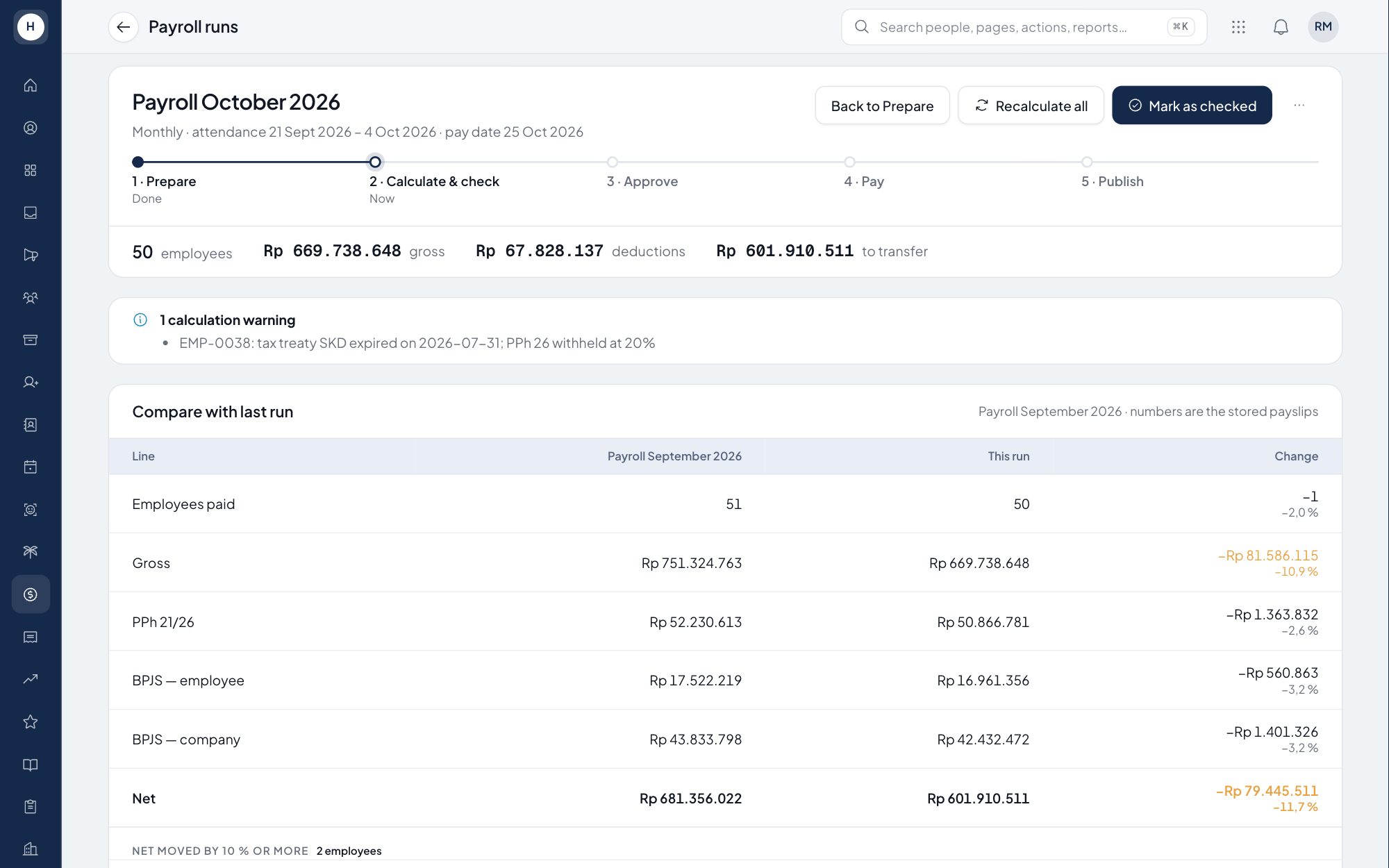
Five clear steps
Prepare, calculate and check, approve, pay, publish. You always know where the run is.
Step 3 of 4
Compare before you pay
Stavis compares this run with September, line by line, and shows what changed.
Step 4 of 4
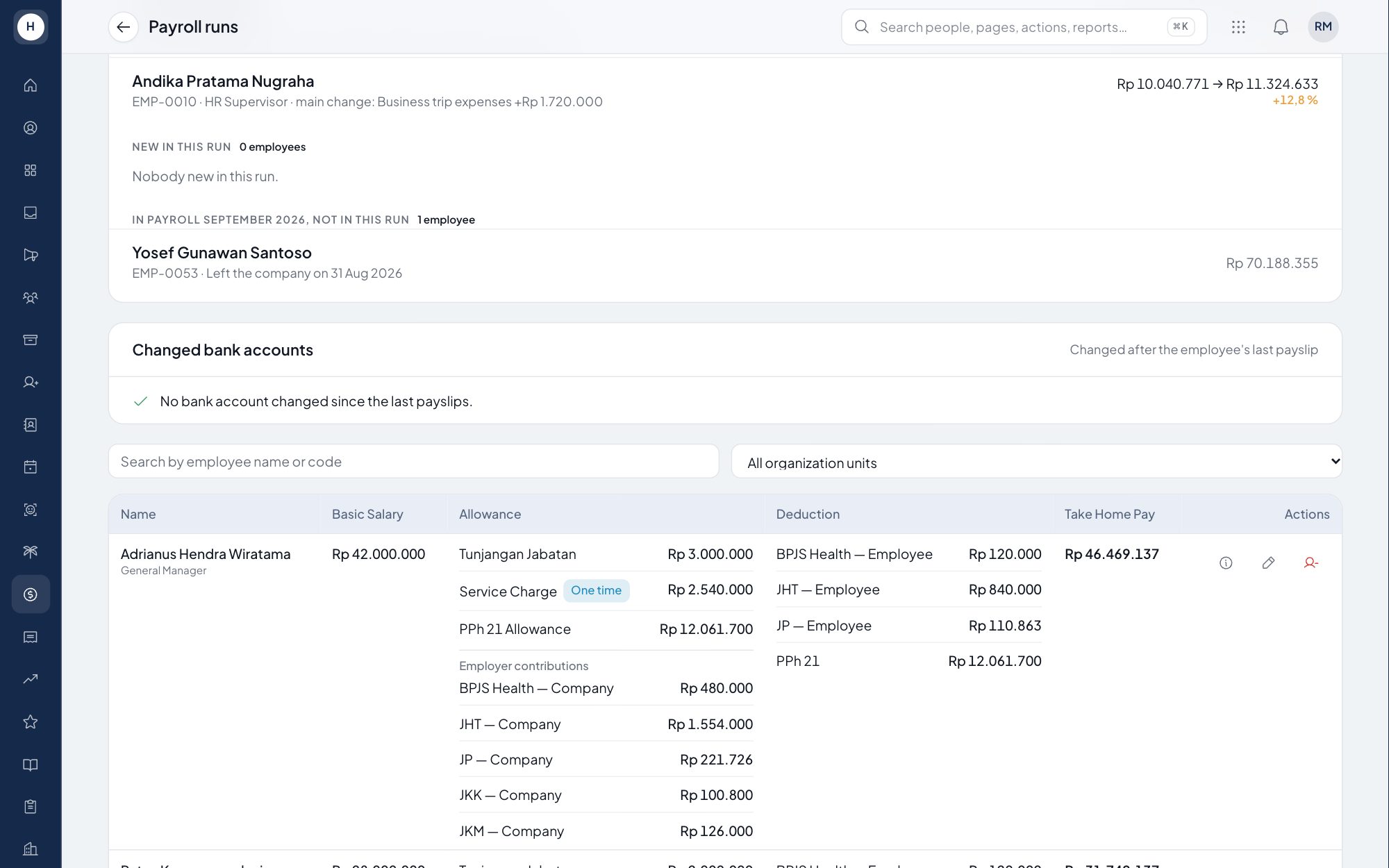
Every rupiah explained
Allowances, deductions, BPJS and PPh 21 per employee, with company contributions shown separately.
Want to see it with your own company?
We will run the same flow with one of your departments.
Step 1 of 3
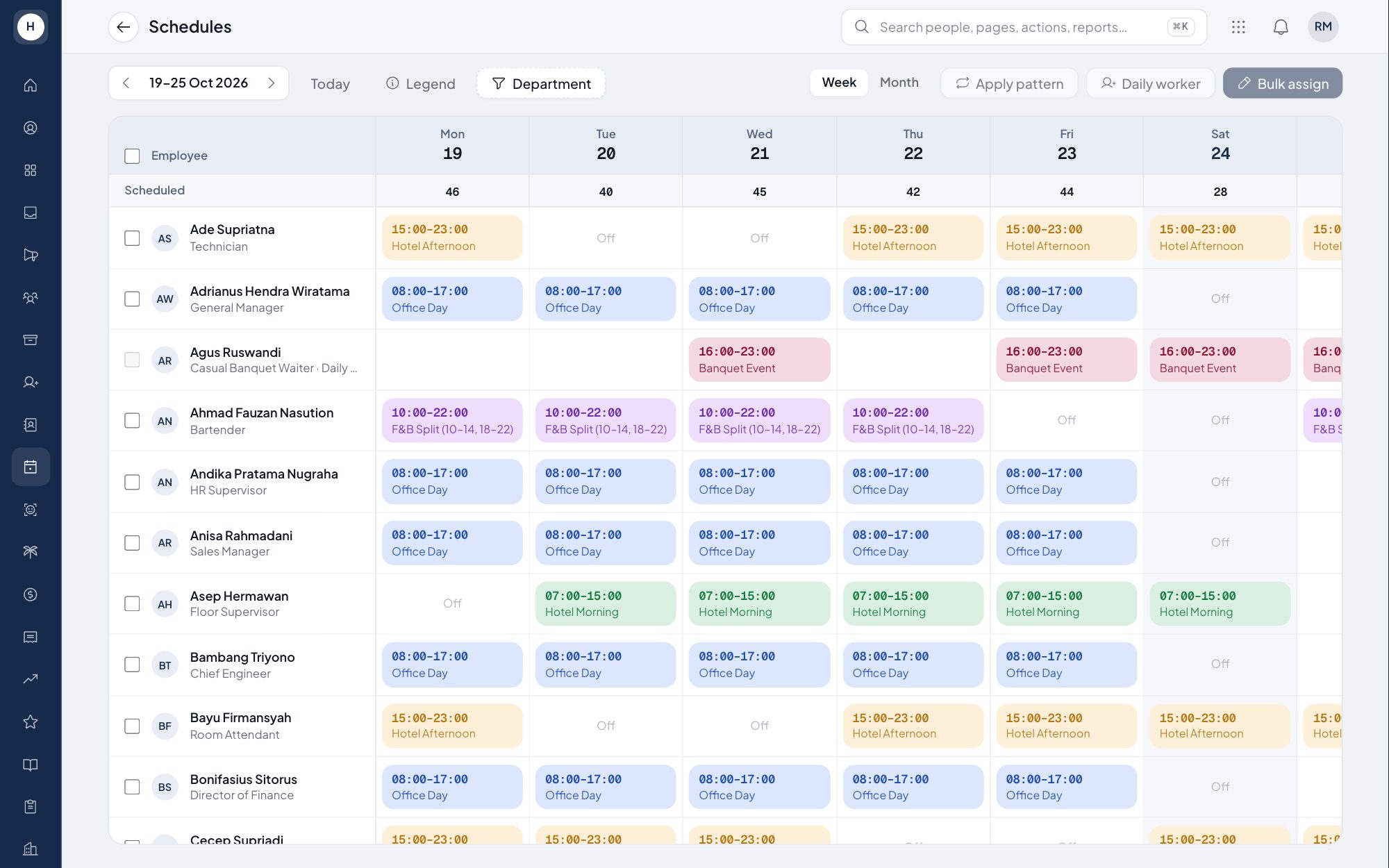
Everyone on one grid
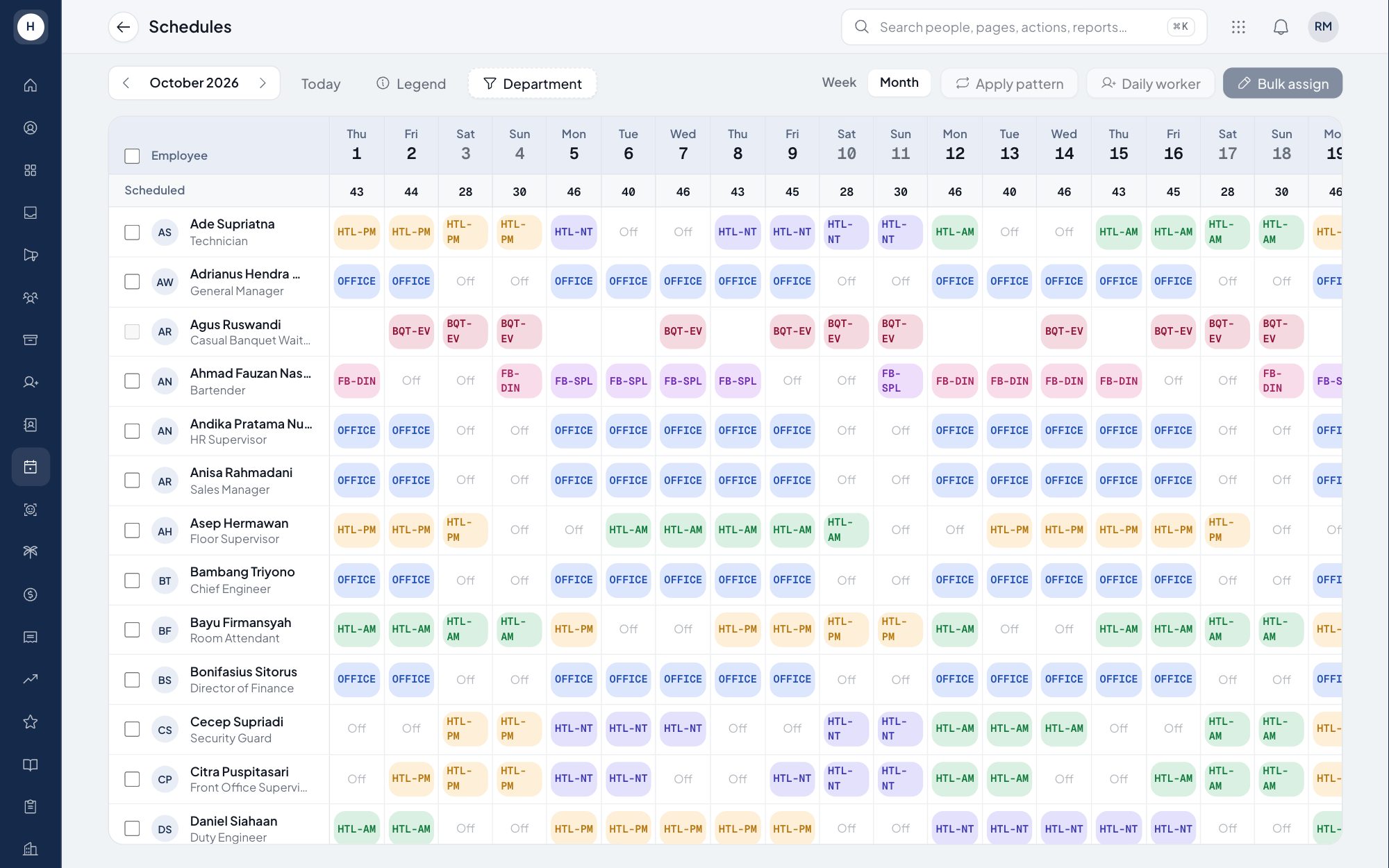
Monthly staff and casual banquet waiters share the same schedule, coloured by shift.
Step 2 of 3
Apply a pattern
Define a shift pattern once and apply it to a whole team for the month.
Step 3 of 3
See the whole month
Switch to the month view to check coverage before you publish.
Want to see it with your own company?
We will run the same flow with one of your departments.
Step 1 of 3
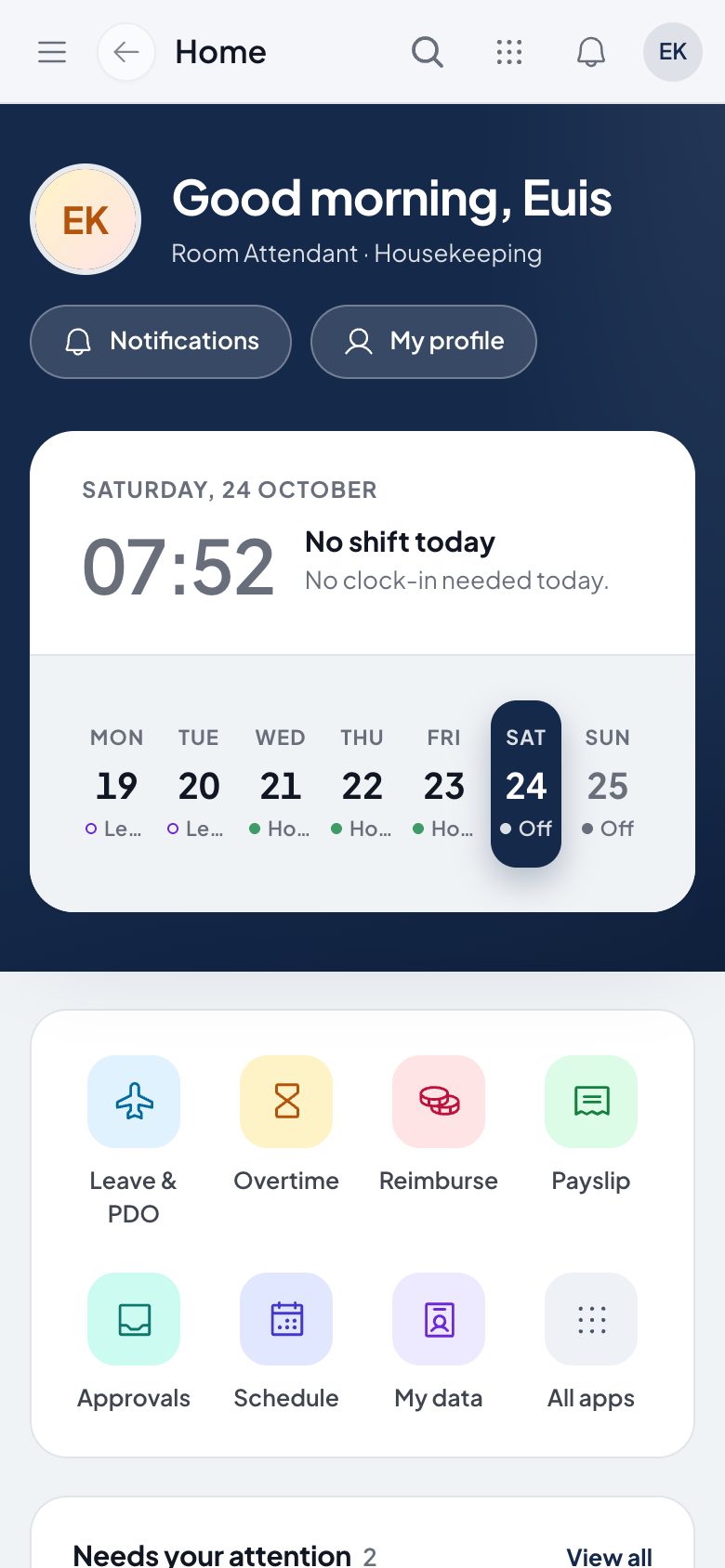
Today at a glance
Today's shift, the week ahead and shortcuts to leave, overtime, reimbursement and payslips.
Step 2 of 3
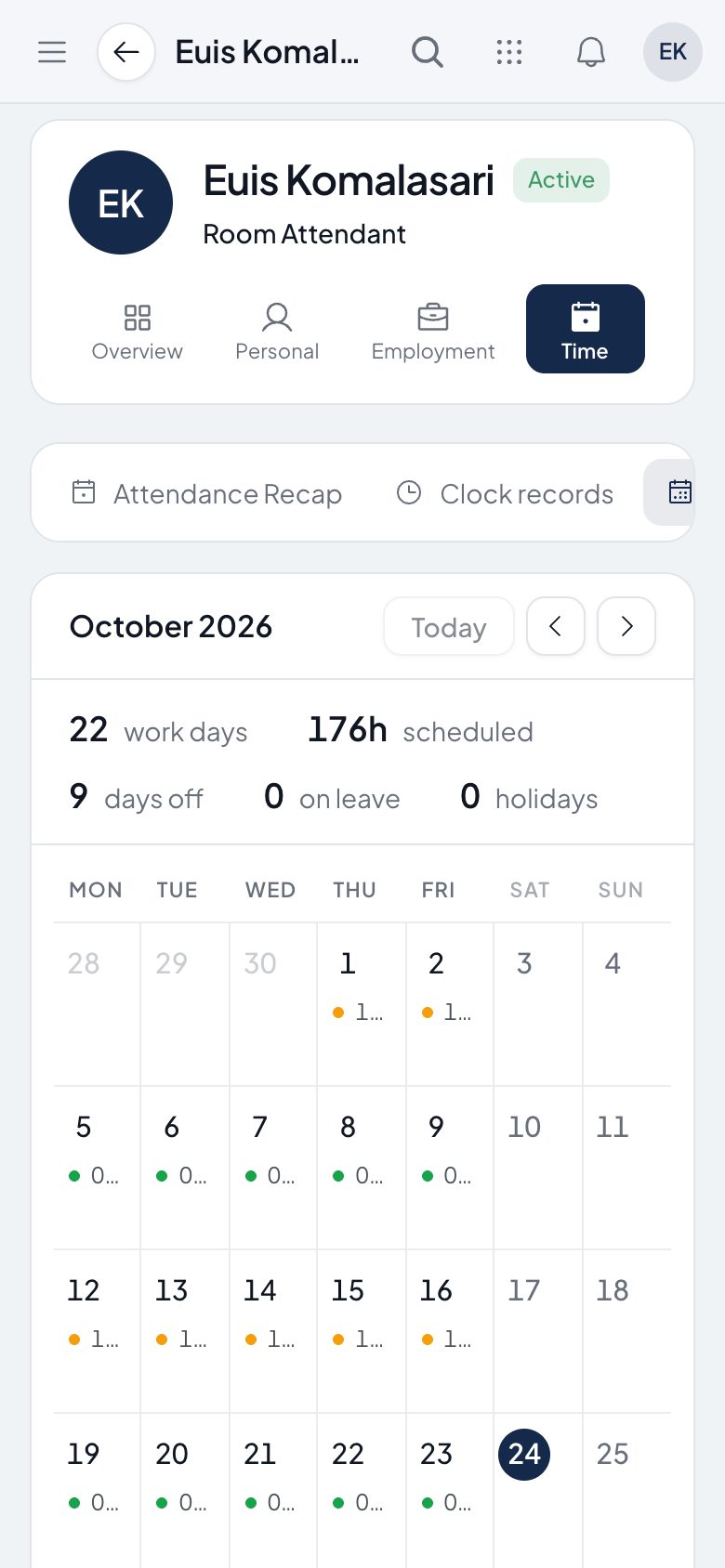
My schedule
Work days, scheduled hours and days off for the month.
Step 3 of 3
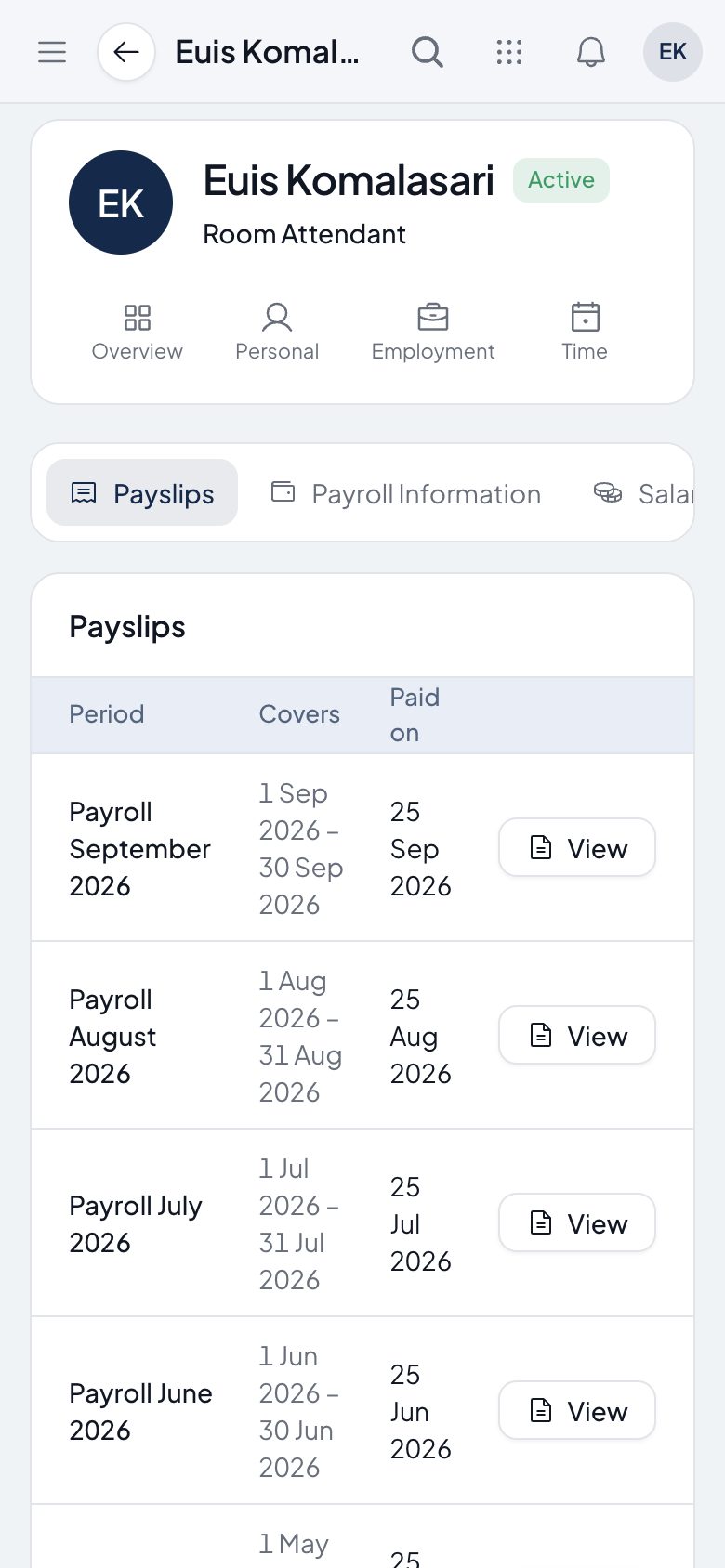
Every payslip
All payslips in one place, ready to open or download.
Want to see it with your own company?
We will run the same flow with one of your departments.
Step 1 of 3
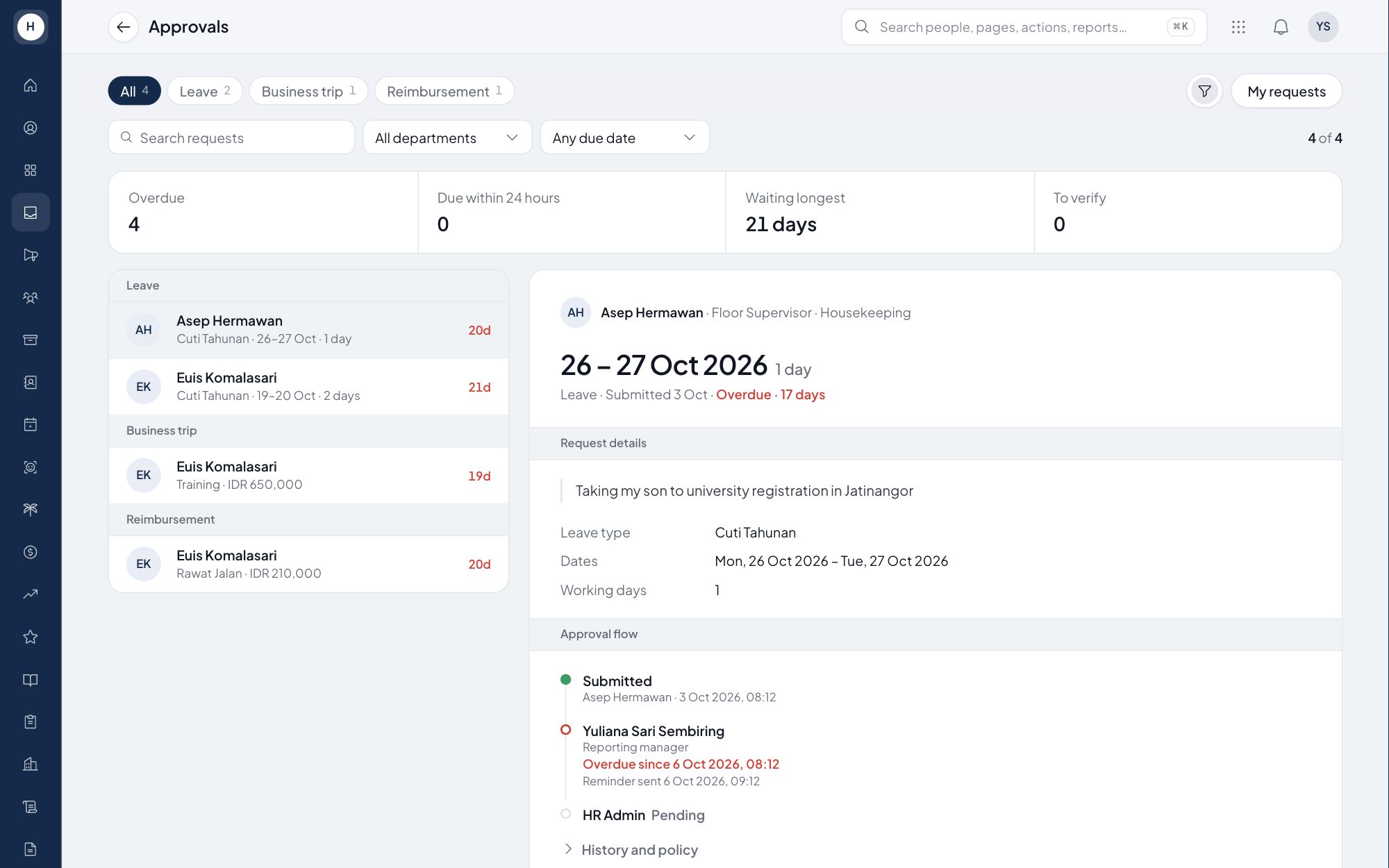
Nothing slips
Overdue requests and the longest wait are counted at the top, and reminders go out on their own.
Step 2 of 3
See the whole flow
Who has approved, who is next and when the step became overdue, on every request.
Step 3 of 3
Everything on one screen
Dates, reason, leave type and working days in one view. Approve, reject or send back for revision.
Want to see it with your own company?
We will run the same flow with one of your departments.